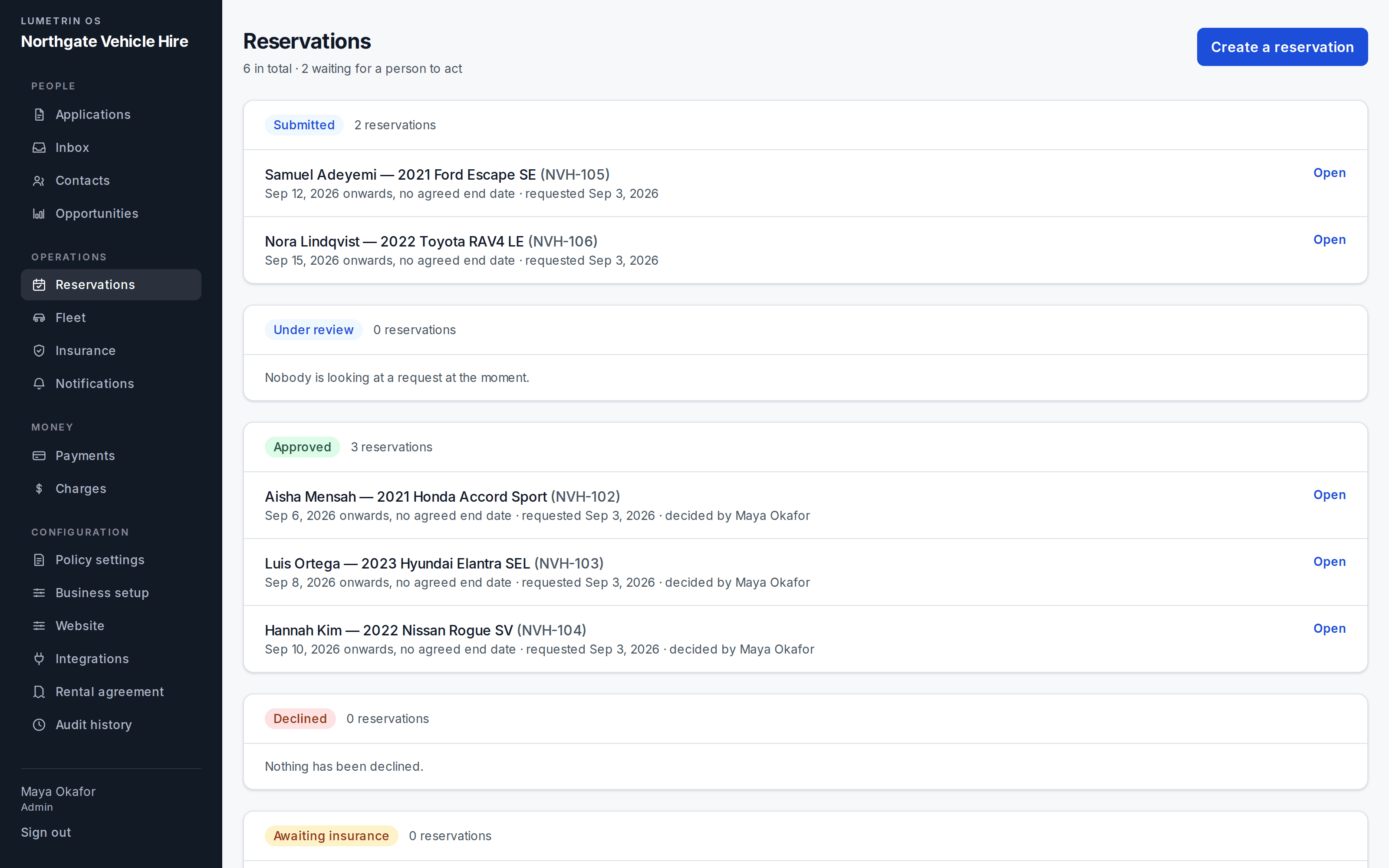
01Reservations
Upcoming business, grouped by state.
Submitted, under review, approved and declined, each booking naming who decided.
Many rental operations run a CRM that knows nothing about vehicles, and a rental tool that knows nothing about customers. The Rental pack removes that split: rental work becomes first-class records on the same Core that holds the rest of the business.
The platform first
Every Rental record below runs on the same Core the rest of the business uses. The pack is depth, not a different platform.
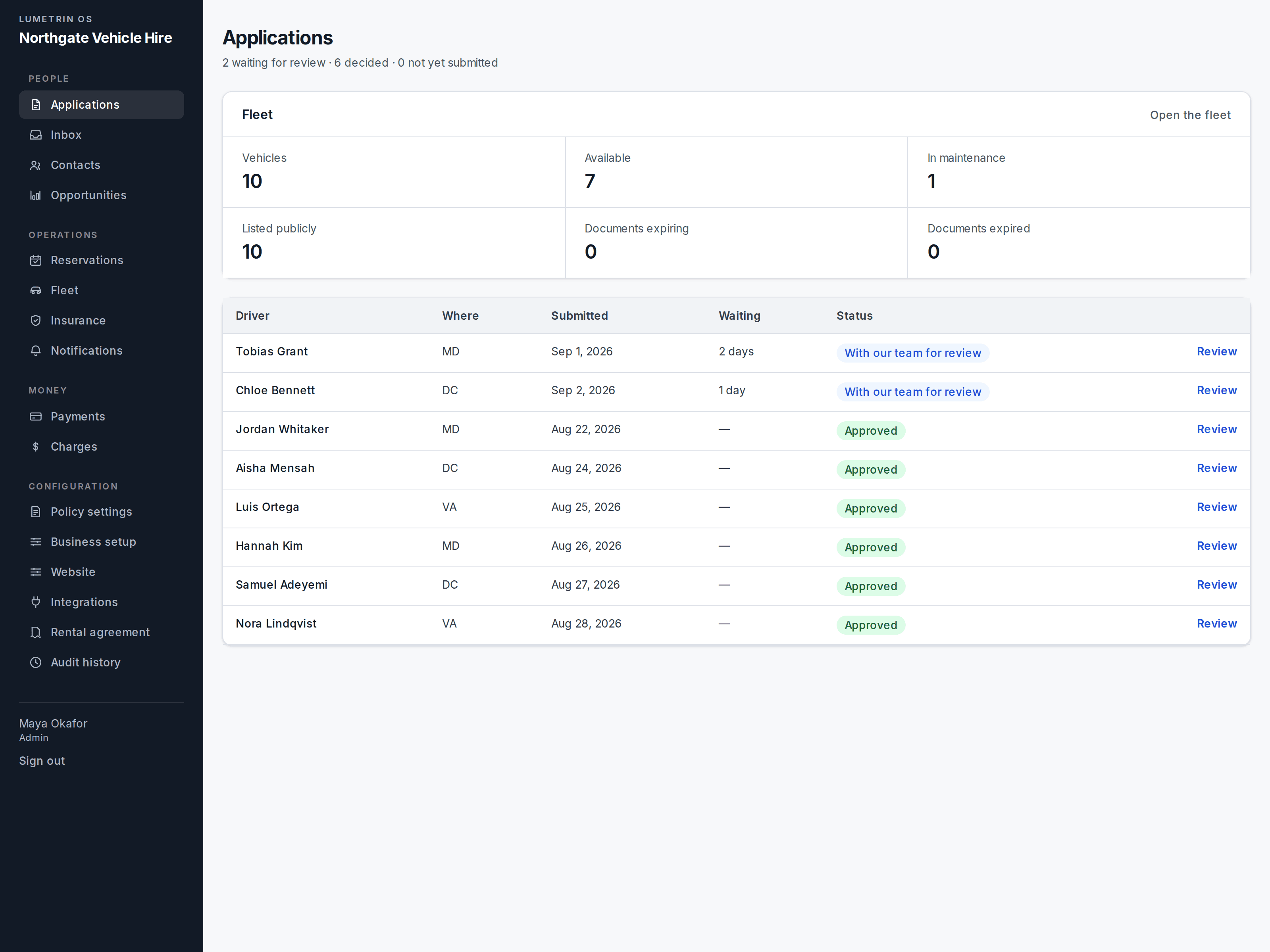
Application · Contact
An application is a record to be assessed, not an email thread. The person behind it lands in the Core as a contact, alongside the rest of the business.
Reservation
A reservation ties the customer to what they are renting and when — a record the whole operation can see, not a note in someone’s calendar.
Fleet · Vehicles
Fleet holds what you have and where it is; each vehicle carries its own history and state.
Agreement · Insurance
The agreement and the cover sit against the rental they belong to, not in a drive folder named after the customer.
Charges
What is owed and what is paid stays on the same thread as the rental itself, so the commercial picture never detaches from the operational one.
Real screens from the same workspace with Rental activated. The dashboard above is where the operation starts; these are the records it runs on.
01Reservations
Submitted, under review, approved and declined, each booking naming who decided.
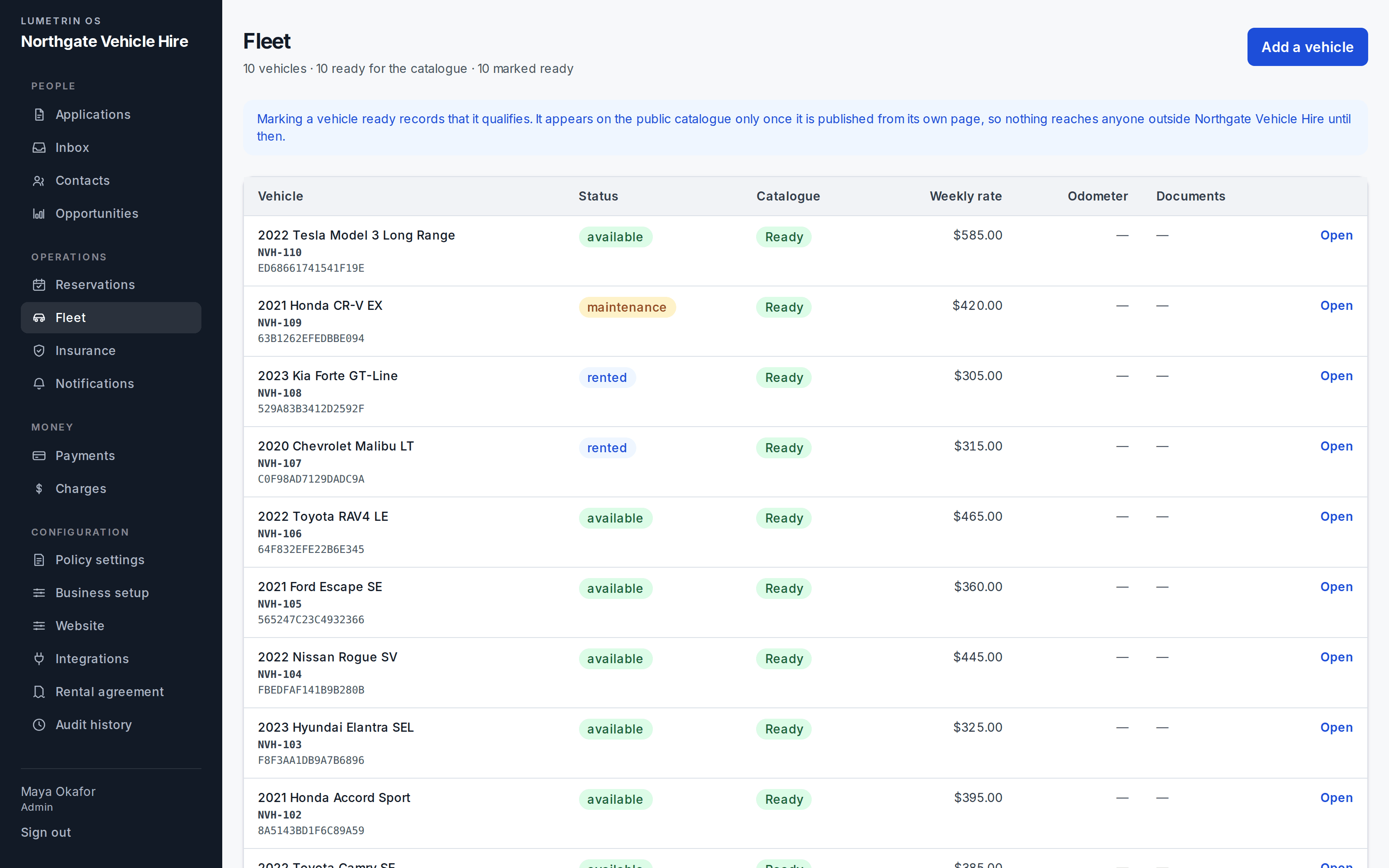
02Fleet
Status, catalogue readiness and weekly rate for the whole fleet.
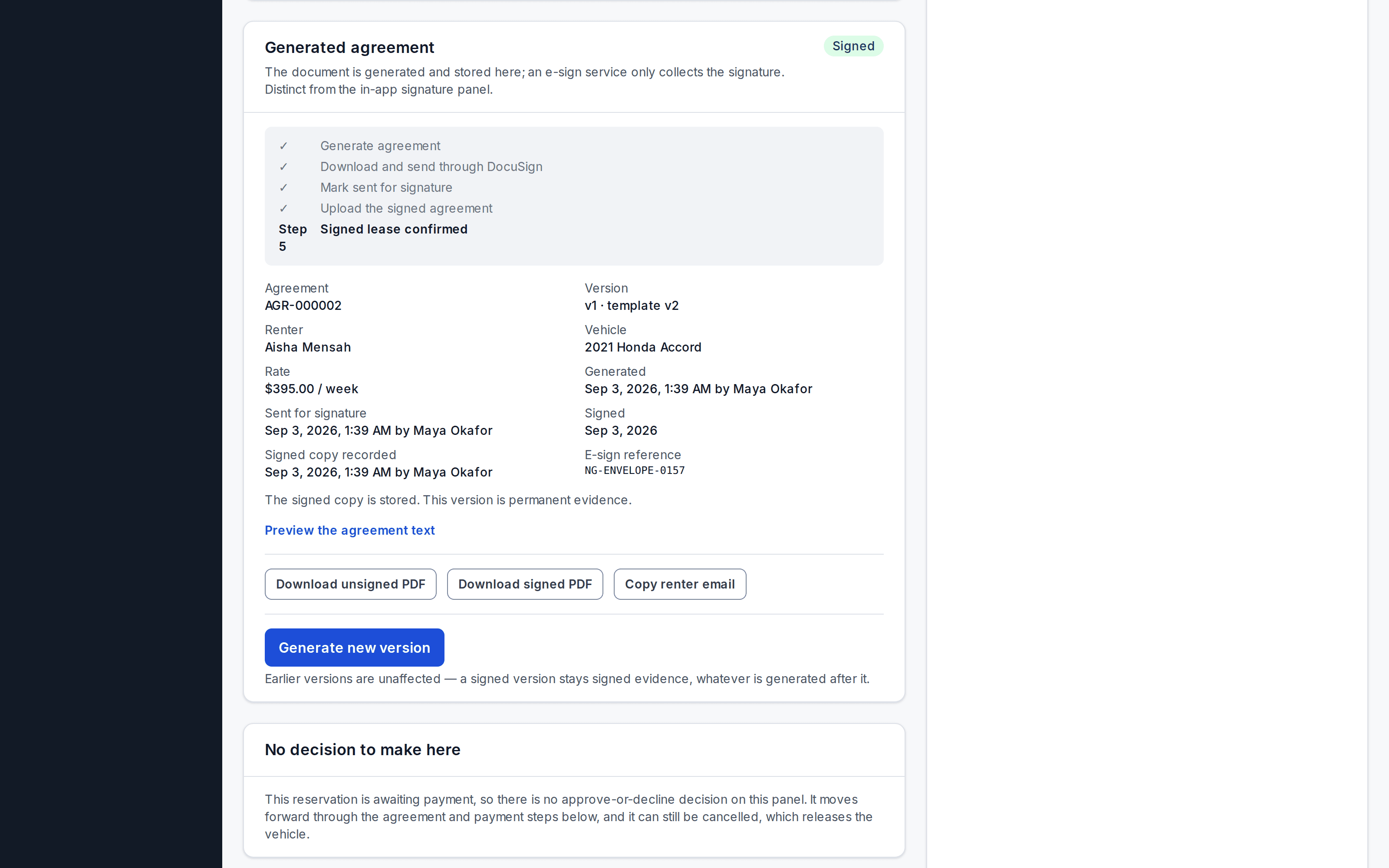
03Agreements
Generated, sent, signed and stored against the reservation, with every step attributed.
A demo runs through the pack against your actual operation, the way you take applications, how your reservations work, and what your fleet looks like. If you would rather send those details first, request access instead.